Garnet PDF is a free desktop editor for Windows and Mac. Change the words and pictures on the page, put pages in order, sign, and black out what must stay private. No account, no adverts, and it never connects to the internet.
Garnet PDF runs on Windows and Mac computers. Send yourself the link and install it there.
£0Free at home and at work. No trial and no paid version.
0Connections to the internet, checked with its own network log.
256-bitAES encryption when you lock a file with a password.
1,000+Real-world PDFs it was tested on before release.
What it does
The tools you open a PDF editor for. None of the clutter.
Everything happens right on the page, and every step can be undone. No AI, no cloud and no upgrade screens.
Real screenshots of Garnet PDF 0.3.0, in its light theme.
Edit
Change the words and pictures, right on the page
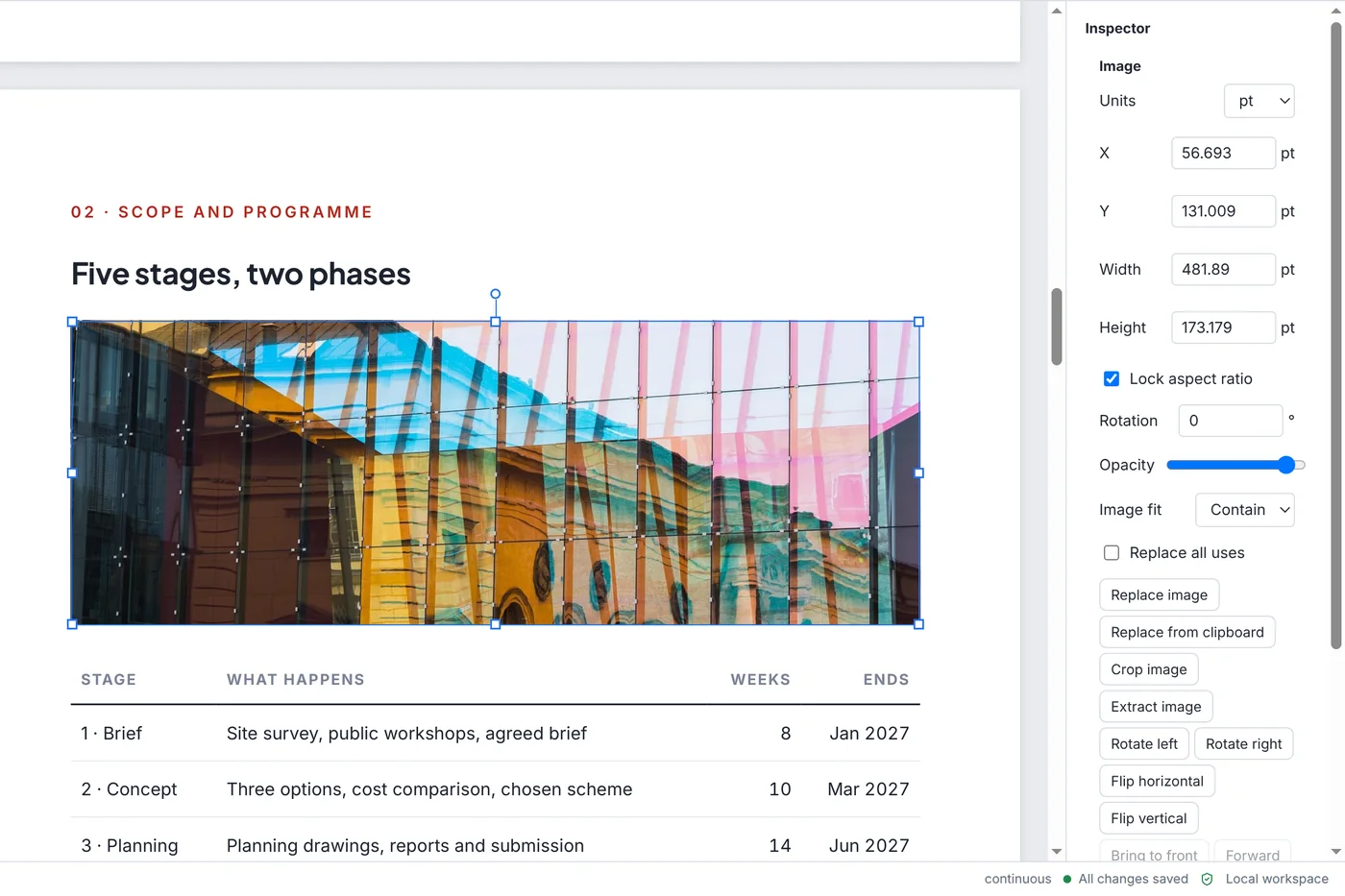
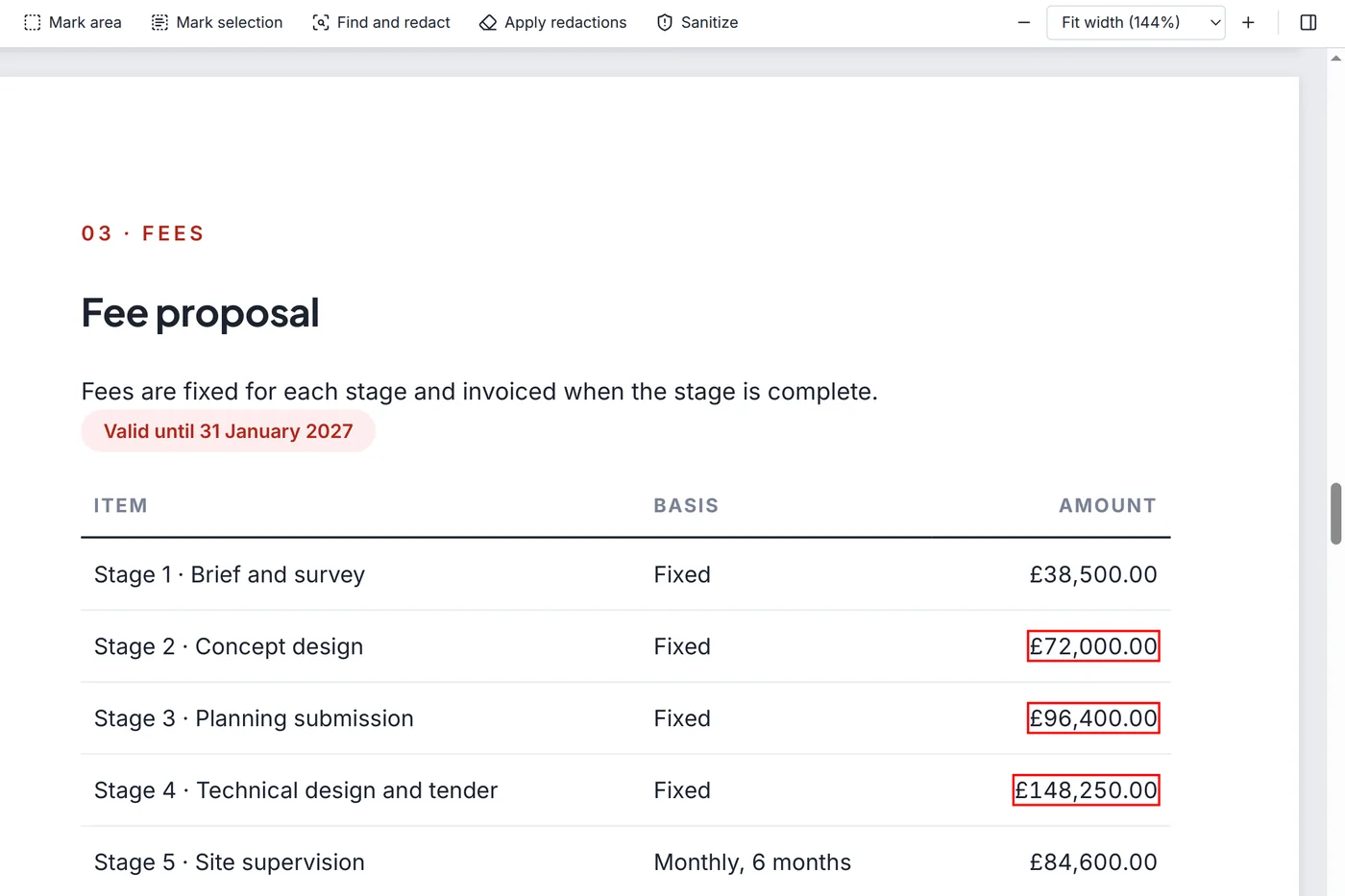
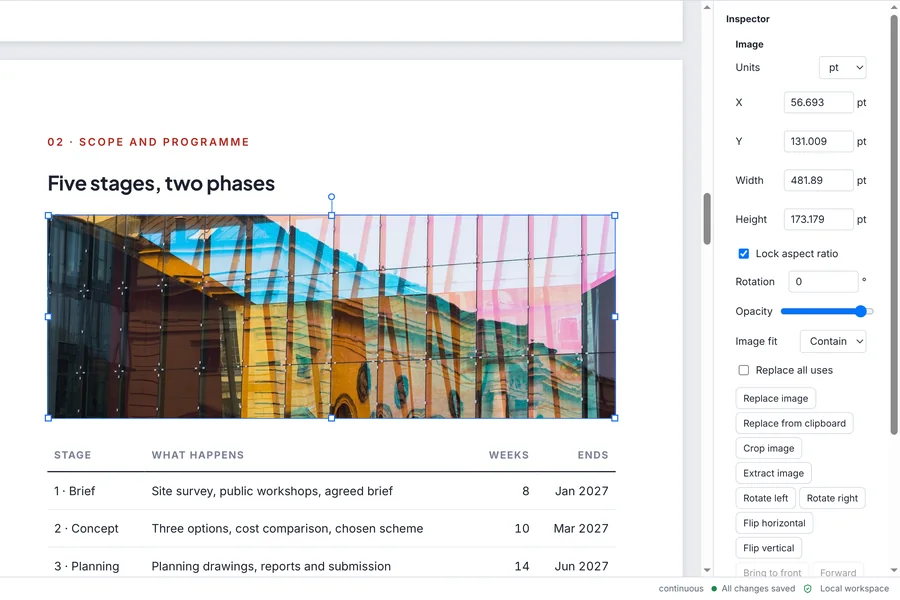
Click a paragraph and type. Garnet PDF keeps the original font where it can and reflows the lines for you. Move, resize, crop or swap pictures. Remove a logo or stamp by drawing a box around it, on one page or on every page.
Works with Arabic and other right-to-left text
Undo and redo, step by step
Save a PDF as a Word file you can edit
Your original file is untouched until you save
Organise
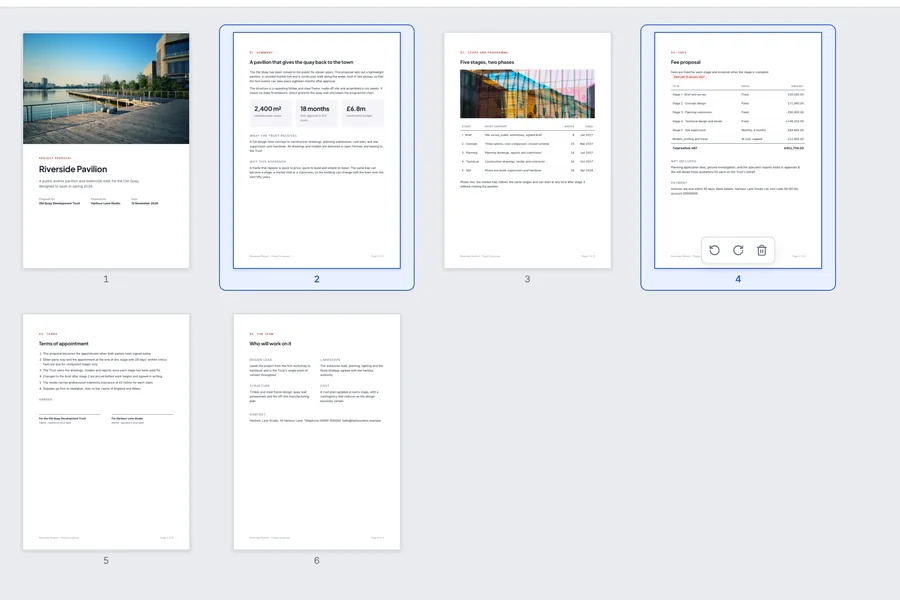
Put the pages in the order you want
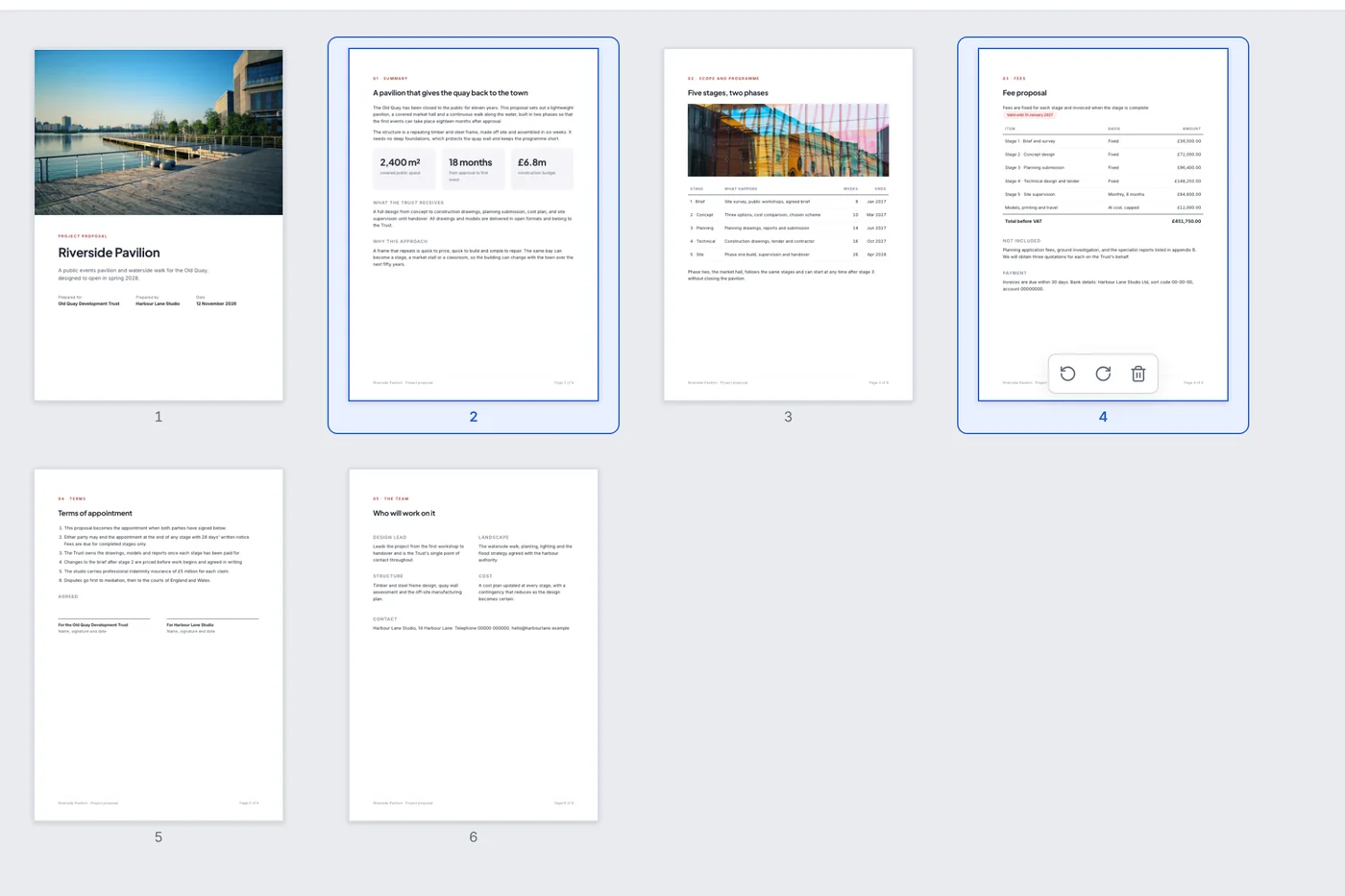
Drag pages to reorder them, rotate or delete them. Combine several files into one, or split one file into many.
Add page numbers, headers and watermarks
Insert pages from other PDFs and from pictures
Stays quick on files with hundreds of pages
Comment and sign
Mark up, fill in and sign
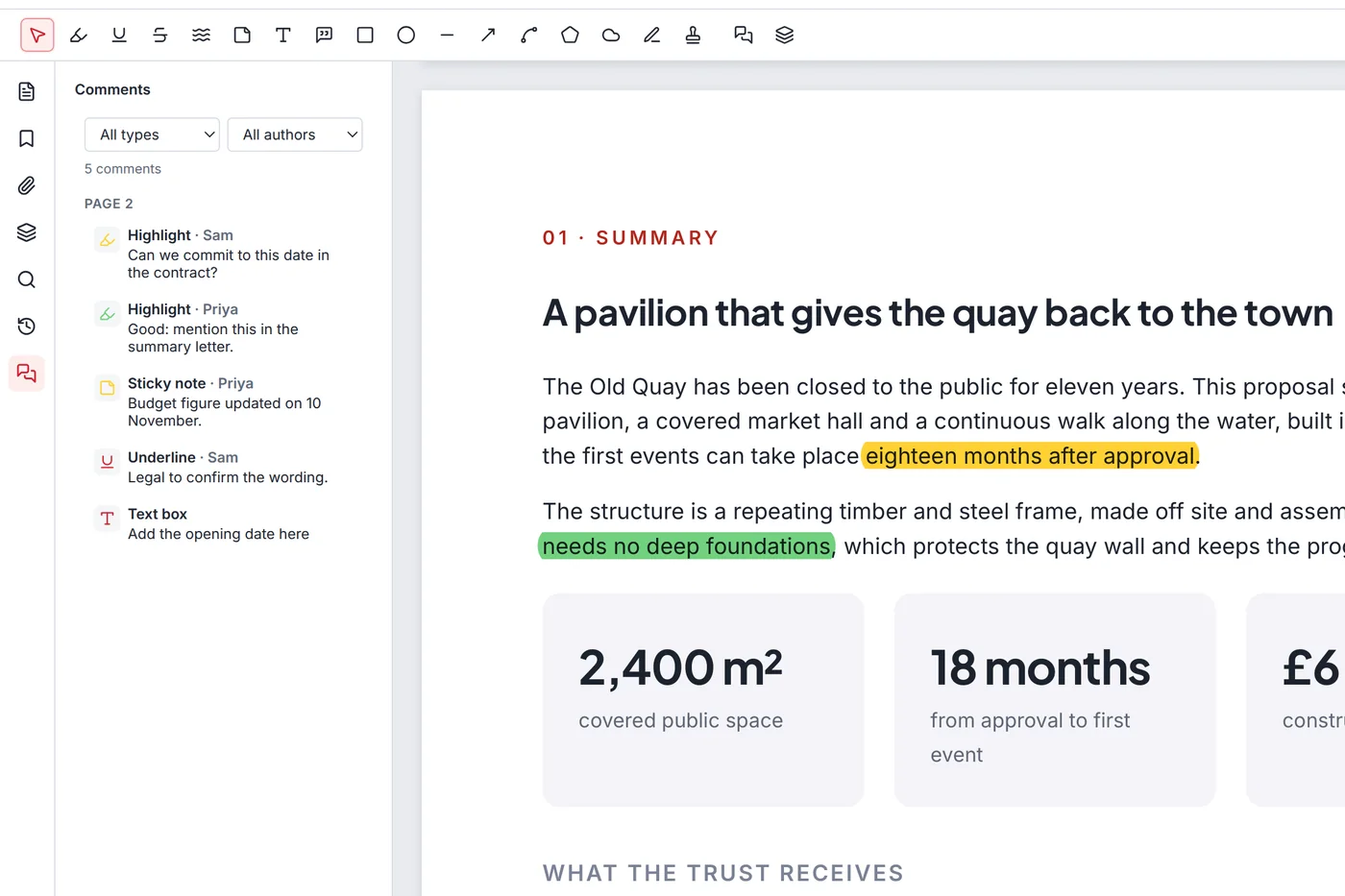
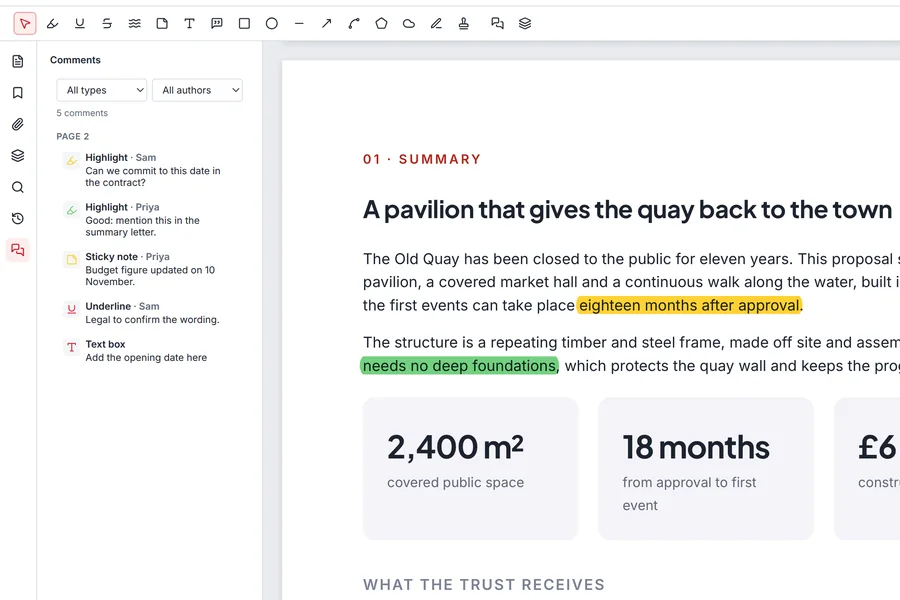
Highlight lines, add notes, arrows and shapes. Fill in forms and add your signature, which is kept safely on your own computer for next time.
Draw, type or use a picture of your signature
See every comment in one list
Comments show up in other PDF readers too
Protect
Lock a file, or black out what must stay private
Add a password with strong 256-bit encryption. Black out names, numbers or whole areas: the hidden text is truly removed from the file, not just covered.
Find a word or number and black out every match
Remove hidden details such as author and comments
Make big files smaller for email
Try it here
Go on, edit this page.
Pick a tool and use it on the page below. Garnet PDF works the same way on your own files.
Click any line on the page and type.
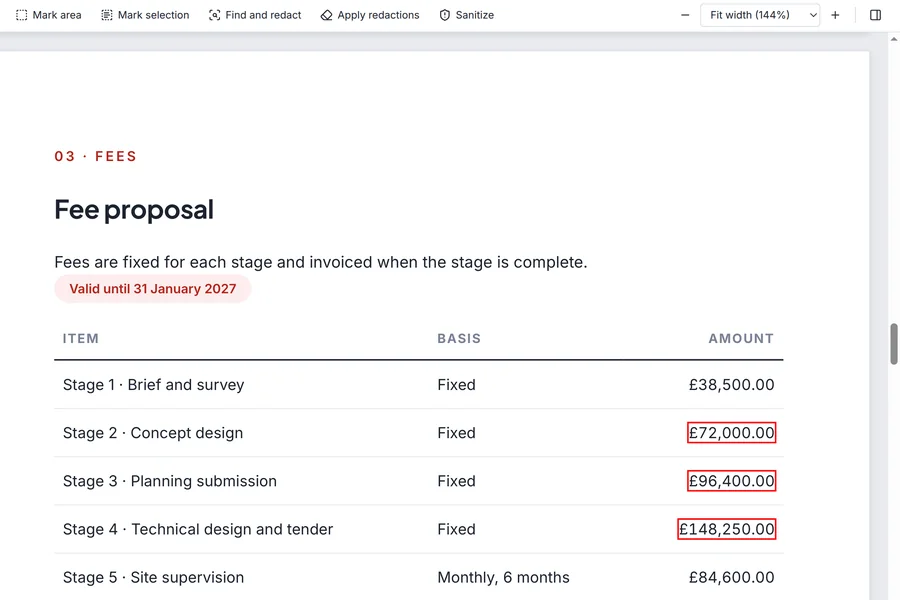
03 Fees
Fee proposal
Our fees are fixed for each stage and invoiced when the stage is complete.
Valid until 31 January 2027
Item
Basis
Amount
Stage 1: brief and survey
Fixed
£38,500.00
Stage 2: concept design
Fixed
£72,000.00
Stage 3: planning submission
Fixed
£96,400.00
Total for stages 1 to 3
£206,900.00
Questions about this proposal: Sam Hughes, 029 2018 0412.
Sign hereSigned for the Old Quay Trust
14 November 2026Date
Riverside Pavilion proposalPage 4 of 6
An example page in your browser. Nothing you do here is saved or sent anywhere.
Private by design
It never goes online. We checked.
Many free PDF tools are websites: you upload your file to someone else's computer and hope for the best. Garnet PDF does all the work on yours, so there is nothing to upload and no reason to connect. No automatic update check, no usage counting, not even a spelling dictionary download.
No account
Nothing to sign up for and no email address to give.
Short answers to what people ask before they install.
Is it really free?
Yes. There is no trial, no paid version, no adverts and no limit on pages or files. It is free at home and at work.
Do my files leave my computer?
No. Garnet PDF never connects to the internet. Your files are opened, changed and saved on your own computer only.
Can it do what I use Adobe Acrobat for?
For everyday work, yes: editing text and pictures, organising pages, comments, forms, signatures, passwords and blacking out. It has no AI features and no cloud storage, on purpose.
Windows showed a warning when I opened the installer. Is that normal?
That happens only with the plain installer file: Windows shows a blue box for programs it has not seen many times yet. Choose More info, then Run anyway. Installing from the Microsoft Store shows no warning.
Which computers does it run on?
Windows 10 and Windows 11, and Mac computers with macOS 13 or later, both Apple silicon and Intel. It does not run on iPhone, iPad or Android yet.
Can I see how it is made?
Yes. Garnet PDF is open source, so anyone can read the code and check what it does. Get the source code.
Your PDFs. Your computer. Free.
Open garnetpdf.com on your Windows and Mac computer to install it, or send yourself the link.